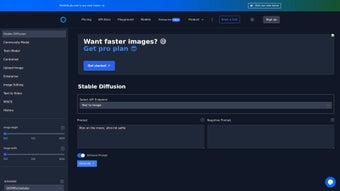

Download Stable Diffusion API – Secure Cloud AI Image Generation Tool
Overview
Stable Diffusion API is a cloud‑native, subscription‑based service that brings the power of state‑of‑the‑art diffusion models to any application that can make HTTPS requests. Unlike traditional desktop‑only generators that require a high‑end GPU, this API abstracts the heavy lifting to a managed infrastructure, allowing developers, designers, and marketers to generate, edit, and fine‑tune images directly from code. The platform exposes a clean RESTful interface with dedicated endpoints for text‑to‑image, image‑to‑image, inpainting, and batch queue retrieval.
Each request can be customized with parameters such as CFG scale, inference steps, random seed, and sampler choice, giving fine‑grained control over style, fidelity, and speed. Webhook support means you can receive real‑time notifications the moment a generation finishes, eliminating the need for inefficient polling loops. While the service assumes a basic level of programming knowledge, extensive documentation, SDKs for Python and JavaScript, and a vibrant community forum lower the barrier for non‑technical users.
In short, Stable Diffusion API provides a secure, scalable, and feature‑rich environment for anyone looking to embed high‑quality AI‑generated visuals into products, prototypes, or marketing campaigns without managing their own GPU fleet.
Key Features & Capabilities
- Multiple Generation Endpoints: Text‑to‑image, image‑to‑image, inpainting, and batch queue retrieval cover a wide range of creative workflows.
- Parameter Fine‑Tuning: Adjust CFG scale, steps, seed, width, height, and sampler (Euler, DDIM, LMS, etc.) to balance speed and image quality.
- Webhook Notifications: Real‑time POST callbacks when a job completes, enabling seamless UI updates or CI pipeline triggers.
- Response Sampling Options: Request one or many image samples per prompt for creative exploration and A/B testing.
- Dedicated GPU Plans: Enterprise tiers provide isolated NVIDIA A100 or V100 GPUs, guaranteeing low latency under heavy load.
- Comprehensive SDKs & OpenAPI Spec: Ready‑made code snippets for Python, Node.js, and curl, plus auto‑generated client libraries.
- Secure Authentication: API keys are encrypted at rest and always transmitted over TLS/HTTPS, meeting modern security standards.
- Transparent, Tiered Pricing: Free trial with 30 compute minutes, followed by pay‑as‑you‑go plans measured in compute minutes.
- Versioned Model Catalog: Access the latest Stable Diffusion checkpoints as well as legacy versions for reproducibility.
- Community & Support: Dedicated Slack channel, ticketing system, quarterly webinars, and extensive documentation.
These capabilities are designed to reduce friction for both hobbyists and enterprises. For example, the webhook system eliminates constant polling, saving bandwidth and providing a snappier user experience. The ability to swap samplers on the fly lets developers experiment with trade‑offs between generation speed and artistic detail, while dedicated GPU resources ensure that large‑scale batch jobs never stall. Together, the feature set positions Stable Diffusion API as a complete, end‑to‑end solution for any project that needs AI‑driven image creation, from quick prototypes to mission‑critical production pipelines.
Installation, Setup & Usage Instructions
Step‑by‑Step Guide
Getting started with Stable Diffusion API is straightforward, even for developers who are new to cloud‑based AI services. Follow these steps to generate your first image in under ten minutes.
- Create an Account: Visit the official website, sign up with an email or GitHub OAuth, and verify your address. After logging in, you’ll land on a dashboard where you can manage API keys and billing.
- Generate an API Key: Navigate to “API Keys”, click “Create New Key”, give it a descriptive name (e.g., “DemoProject”), and copy the generated token. Treat this token like a password; store it securely and never expose it in client‑side code.
- Select a Pricing Tier: Choose the free tier for up to 30 compute minutes, or upgrade to “Pro” ($19/month) or “Enterprise” for dedicated GPU resources and higher rate limits.
- Install Required Libraries: Most integrations use Python or Node.js. Example for Python:
For Node.js:pip install requestsnpm install axios - Make Your First Request: Below is a minimal Python snippet that generates a 512×512 image from a text prompt.
Replaceimport requests, json url = "https://api.stablediffusionapi.com/v1/text2img" payload = { "prompt": "A futuristic city skyline at sunset, ultra‑realistic", "cfg_scale": 7.5, "steps": 50, "width": 512, "height": 512, "samples": 1, "seed": -1 } headers = { "Authorization": "Bearer YOUR_API_KEY", "Content-Type": "application/json" } response = requests.post(url, headers=headers, data=json.dumps(payload)) print(response.json())YOUR_API_KEYwith the token you created. The JSON response contains a URL pointing to the generated PNG. - Enable Webhooks (Optional): In the dashboard, go to “Webhooks”, add your server endpoint (e.g.,
https://myapp.com/webhook), and select “image.completed”.Your server will receive a POST payload with image metadata as soon as generation finishes.
- Fine‑Tune Parameters: Experiment with
cfg_scale(guidance strength),steps(quality vs. speed), andsampler(e.g.,"sampler": "euler_a"). The documentation provides a full parameter matrix. - Handle Errors Gracefully: The API returns standard HTTP status codes: 400 for bad requests, 401 for unauthorized, 429 for rate limiting, and 500 for server errors. Implement exponential back‑off and retry logic for robust production use.
- Batch Requests: For bulk asset generation, use the batch endpoint by sending an array of prompts in a single payload.
This reduces overhead and improves throughput, especially on paid tiers with higher rate limits.
The same workflow applies to the image‑to‑image endpoint; simply replace the URL with https://api.stablediffusionapi.com/v1/img2img and include an init_image field containing a base64‑encoded source image. By following these steps, you’ll have a fully functional integration capable of generating high‑quality visuals on demand.
Compatibility, Pricing & Enterprise Options
Because Stable Diffusion API is delivered as a cloud service, it is completely platform‑agnostic. Any device or server that can make HTTPS calls—whether Windows, macOS, Linux, Android, or iOS—can consume the API.
Supported Environments
- Desktop: Windows 10/11, macOS Monterey+, major Linux distributions.
- Server: Docker containers, Kubernetes pods, or traditional VMs.
- Mobile: iOS 13+ (Swift/Objective‑C) and Android 8+ (Java/Kotlin) via standard HTTP clients.
- Edge: Browser‑based JavaScript using
fetchoraxios(CORS enabled for whitelisted origins).
Pricing Overview
Pricing is measured in “compute minutes”. A typical 512×512 image generated with 50 steps consumes roughly 0.5 compute minutes. The free tier provides 30 minutes per month, ideal for testing.
Paid tiers start at $19 /month for 500 minutes, with volume discounts for larger blocks (e.g., 2,000 minutes for $69 /month). All plans include a usage dashboard for real‑time spend monitoring. Enterprise customers receive custom quotes, dedicated GPU instances, SLA guarantees, and priority support.
Enterprise & Custom Solutions
Organizations with strict compliance needs or massive throughput requirements can opt for the Enterprise package. This includes isolated NVIDIA A100 GPUs, on‑premise hybrid deployment options, and the ability to fine‑tune the model on proprietary datasets. Dedicated account managers, quarterly performance reviews, and early access to new model checkpoints are part of the offering. If your workflow demands thousands of images per day or you need guaranteed latency, contacting the sales team for a tailored solution is recommended.
Pros, Cons & Frequently Asked Questions
Pros
- Rich set of generation endpoints covering most creative scenarios.
- Fine‑grained control over model parameters and sampler selection.
- Webhook notifications eliminate polling and improve user experience.
- Scalable cloud infrastructure removes the need for local GPU hardware.
- Comprehensive SDKs and OpenAPI specification accelerate integration.
- Transparent tiered pricing with a generous free trial.
- Enterprise options provide dedicated hardware and custom fine‑tuning.
Cons
- Requires basic programming knowledge; not a standalone desktop app.
- Latency on the free tier can vary due to shared GPU resources.
- Extensive parameter space may overwhelm beginners without AI background.
- High‑volume commercial use can become costly on paid plans.
- Currently limited to 2‑D image generation; no native video or 3‑D support.
FAQ
What differentiates the free tier from paid plans?
The free tier offers 30 compute minutes per month, shared GPU queues, and basic email support. Paid plans increase the compute quota, provide higher‑priority GPU access, and include priority email or chat support. Enterprise tiers add dedicated hardware, SLA guarantees, and custom model fine‑tuning.
Can I call the API from a mobile application?
Yes. Because the service is accessed via HTTPS, any platform capable of making HTTP requests—including iOS (Swift) and Android (Kotlin/Java)—can use the API. For security, route requests through a backend server or use a short‑lived token.
How do I avoid hitting rate limits during large batch jobs?
Use the batch endpoint to submit an array of prompts in a single request, and implement exponential back‑off when you receive a 429 response. Enterprise customers enjoy higher rate limits and dedicated GPUs, which further reduces the chance of throttling.
Is my data safe when I upload images for inpainting?
All data is transmitted over TLS/HTTPS and stored only temporarily for processing. The service does not retain images longer than necessary, and enterprise customers can request isolated cloud or on‑premise deployments for stricter compliance.
Can I fine‑tune the model with my own dataset?
Fine‑tuning is available on Enterprise plans. You can upload proprietary data, define training hyper‑parameters, and obtain a custom checkpoint that respects your brand’s visual language.
Conclusion
Stable Diffusion API delivers a mature, production‑ready set of AI image generation tools that work across every major platform. Its webhook system, extensive parameter controls, and dedicated GPU options make it suitable for both rapid prototyping and large‑scale deployment. While the learning curve can be a hurdle for non‑technical users, the free tier, thorough documentation, and ready‑made SDKs provide a smooth onboarding path. For organizations that need guaranteed performance, the Enterprise offering adds isolated hardware and custom fine‑tuning capabilities. Overall, the service strikes a solid balance between accessibility, power, and security, making it a top choice for anyone looking to incorporate AI‑generated imagery into their digital products.
Ready to start creating? Grab your free API key today and explore the possibilities of cloud‑based diffusion models.



.png)



